Waiting forever for a file to open, or watching a progress bar crawl while you copy a large folder — if that kind of frustration sounds familiar, you're far from alone. The good news is that storage technology keeps moving forward, and today there are faster, less painful ways to save and access the files that matter. One often-overlooked but genuinely useful option is to put a solid-state drive (SSD) inside an SSD enclosure. But what exactly is that enclosure? If you've never come across one before, no worries — amble & strut will walk you through it step by step.
First, what is a solid-state drive (SSD)?
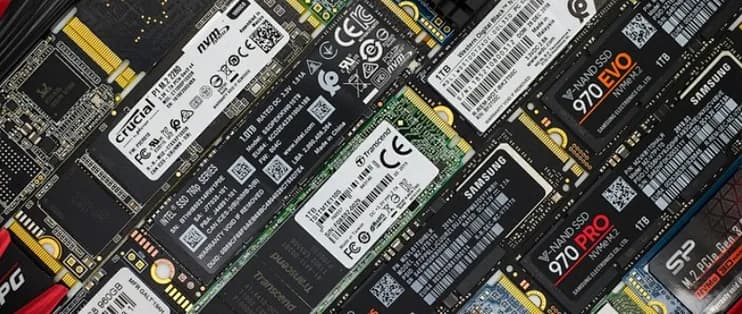
Let's start with the basics. An SSD (solid-state drive) is the component your computer uses to store data. You may have heard the term "hard disk drive" — that's the older approach: slower, and because it relies on spinning mechanical parts inside, more prone to failure if it gets bumped or dropped. An SSD works differently. It records data purely electronically, with no moving parts at all, so reads and writes happen almost instantly and the whole thing tends to be more stable and durable.
So what is an SSD enclosure?
Put simply, an SSD enclosure is a small protective shell. Slot an internal SSD inside it, and that drive transforms into a portable external one you can carry anywhere. Think of it as giving your SSD a "protective jacket" that lets a drive normally stuck inside your computer come out and work on its own. Once it's installed, a single USB cable is all you need to plug it into any computer. You use it just like a USB flash drive — except it's far faster and offers a lot more room.

Why you might need one
Even if computer hardware isn't your thing, a few of these situations might win you over:
• You need to carry large files around. Photos, videos, and work documents easily run into several gigabytes — more than an ordinary flash drive can hold. An SSD in an enclosure gives you plenty of capacity while staying small enough to slip into your pocket.
• You care about speed. Anyone who's been tortured by a loading bar gets it. SSDs are already much faster than mechanical drives, and once one is in an enclosure, a copy that used to take minutes — or even hours — is often done in seconds.
• You want a backup for important data. Critical contracts, photo albums, and video footage shouldn't live in just one place. An SSD enclosure lets you back them up onto a separate drive, and since SSDs are shock-resistant and durable, your data is less likely to be lost.
• You want to put an old drive back to work. After upgrading to a new computer, a leftover SSD just sitting around is a waste. Pair it with an enclosure and it instantly becomes an external drive again — no need to throw it out.
The different types of enclosures
Because SSDs themselves come in different formats, enclosures do too. If you're not sure which kind of SSD you have, don't panic — a quick look at the product label, or a question to the staff at an electronics store, will usually clear it up. Here are the main types:
• 2.5-inch enclosures — designed for the SSDs found in most laptops, the ones whose shape resembles a traditional hard drive. They're a bit larger in size.
• M.2 enclosures — built for the thinner, faster M.2 SSDs that have become increasingly common in newer laptops and desktops. These drives use a different connector shape from the 2.5-inch kind.
• NVMe enclosures — if your M.2 SSD is the even speedier NVMe type, you'll want an enclosure that specifically supports NVMe so you can actually unlock its full speed.

What to look for when choosing one
To get the most out of your SSD's performance, keep these points in mind when buying an enclosure:
• Compatibility. The case's size and connector have to match your SSD. For example, if you have a 2.5-inch drive, don't buy an M.2 enclosure. The packaging usually states which drive types it supports.
• Connection type. Go for an enclosure that supports a high-speed interface like USB 3.0 or 3.1 — otherwise a slow port will bottleneck even the fastest SSD.
• Build quality and cooling. A good enclosure protects the drive from knocks and helps with heat dissipation. Aluminum is a popular choice: a metal shell conducts heat well and keeps the SSD running cooler.
• Portability. Since this is something you'll carry around, lighter and smaller is better. Most SSD enclosures are compact enough to disappear into a bag.
Final thoughts
All in all, an SSD enclosure is a small investment that delivers a lot: with just a shell, you turn a fast internal SSD into portable external storage. Whether you want extra space for photos, need to shuttle files quickly between computers, or simply want a more reliable way to back up important data, it has you covered.
If all of this still feels a little unfamiliar, there's really no need to worry — the setup is far simpler than you'd think. Once you've got the drive and the enclosure together, the whole installation is as easy as plugging in a USB stick. Head over to PURPLELEC to check out the SSD enclosures available now. Once you've felt the speed and reliability of a solid-state drive for yourself, you'll probably just wonder why you didn't upgrade sooner.












