If your laptop charger breaks and you have a 100W USB-C hub on your desk, one question naturally comes up: is it safe to plug in your laptop, phone, earbuds, or tablet?
The short answer is yes, as long as you are using a properly designed USB-C hub and compatible cables.
A 100W rating does not mean every connected device will receive 100W. Modern USB-C charging relies on Power Delivery, or PD, a smart charging protocol that lets the power source and device communicate before charging begins. Your device only takes the amount of power it is designed to accept.
What Does 100W Mean on a USB-C Hub?
Power Delivery is a USB-C charging standard that allows higher power transfer than older USB connections. When a USB-C hub is labeled as 100W, it usually means the hub can support up to 100W of power output, either through one port or shared across multiple ports.
A PD-enabled USB-C hub typically works through:
Smart detection: The hub identifies the connected device and its supported charging levels.
Power negotiation: The device and hub agree on a safe voltage and current.
Dynamic power distribution: When multiple devices are connected, power is allocated based on demand.
Automatic adjustment: The process happens quickly without manual setup.
Lightweight laptops may only need 30W to 65W, while high-performance laptops used for video editing, design work, gaming, or heavy multitasking may need 85W to 100W. That is why 100W USB-C hubs are useful for laptop users who also want to charge phones, tablets, earbuds, and other devices from one station.
Why a 100W USB-C Hub Will Not Damage Your Devices
It is easy to assume that higher wattage means higher risk. In reality, USB-C PD charging is designed to prevent devices from receiving more power than they can handle.
Your laptop, smartphone, and tablet all include charging management circuits. These circuits control how much voltage and current the device accepts. Even if a hub can provide up to 100W, a phone that only supports 18W charging will only draw around 18W.
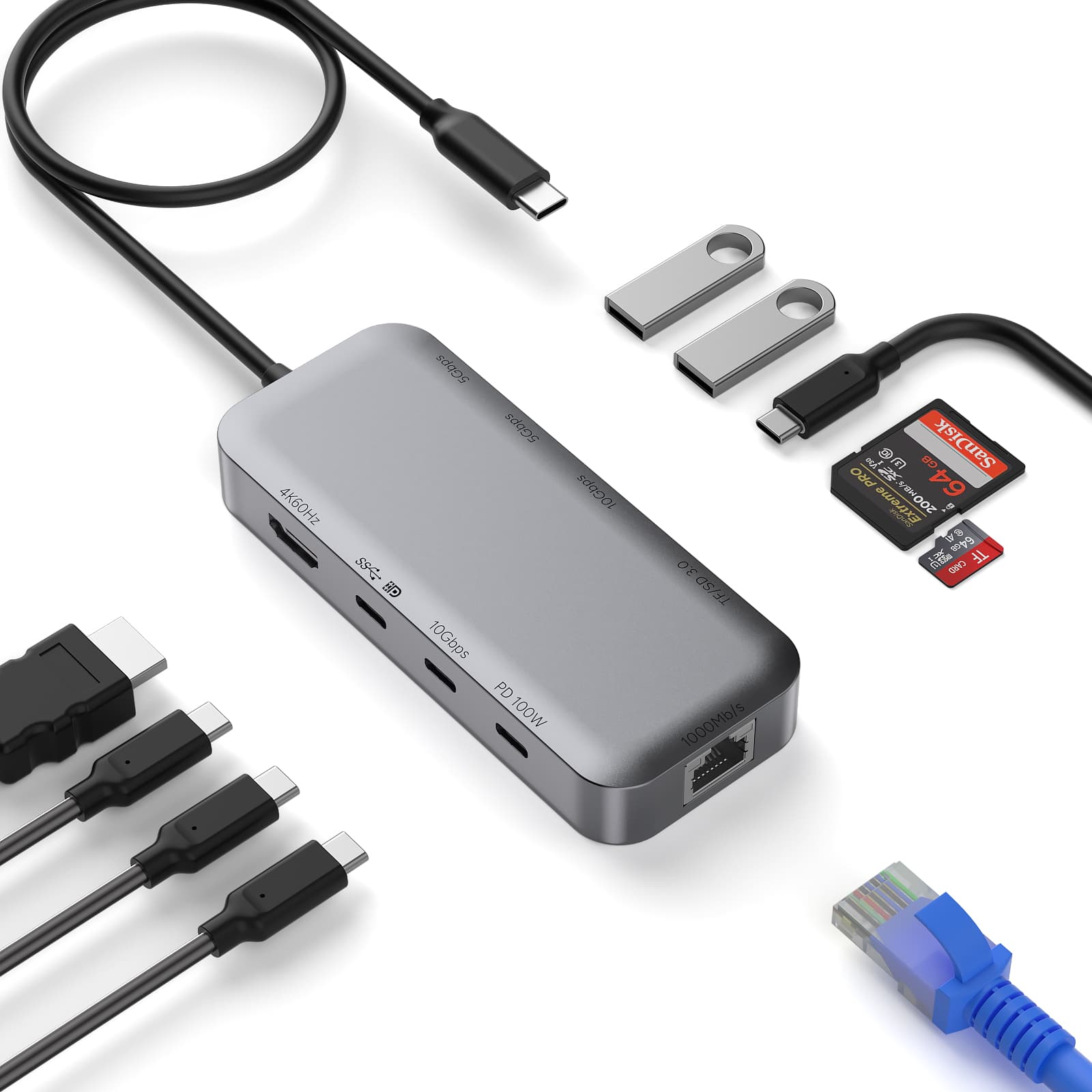
Think of the hub as a power source with extra capacity. Your device decides how much power it needs.
Built-In Device Protection
Most PD-compatible devices monitor several charging conditions in real time, including:
Input voltage
Input current
Battery temperature
Battery level
Charging status
If anything unusual happens, such as excessive heat, unstable voltage, or unsafe current levels, the device can reduce charging speed or stop charging entirely.
Certification and Product Quality Matter
USB-IF certification is a useful sign that a USB-C product has passed official compliance testing. Products with the Certified USB logo have met specific USB-IF requirements.
However, not every safe USB-C hub on the market carries USB-IF certification. If a product is not certified, you are relying more heavily on the manufacturer’s own quality control, component choices, and safety design.
When choosing a high-power USB-C hub, look for:
PD charging support
Over-current protection
Over-voltage protection
Short-circuit protection
Temperature control
Reliable cables and connectors
Understanding Laptop Power Requirements
Different devices require very different amounts of power. Knowing your device’s charging needs helps explain why 100W USB-C hubs exist.
| Device Type |
Common Power Range |
Typical Use |
| Chromebook / Ultrabook |
30W-45W |
Web browsing, study, light office work |
| Standard Laptop |
45W-65W |
Daily productivity, meetings, office tasks |
| High-Performance Laptop |
65W-90W |
Design, development, editing, multitasking |
| Gaming Laptop / Workstation |
100W-240W |
Dedicated graphics, high-performance processors, heavy workloads |
If your original laptop charger is rated at 65W, a 100W USB-C hub can usually charge it safely, provided the laptop supports USB-C PD charging.
How to Check Your Device’s Power Needs
The easiest way is to look at your original power adapter.
On the label, you may see something like:
20V ⎓ 3.25A
Multiply voltage by current:
20V × 3.25A = 65W
That means the adapter provides 65W. If your USB-C hub supports that output level and the correct PD profile, it should be suitable for charging the device.
Safety Features in a 100W USB-C Hub
A well-designed high-power USB-C hub usually includes several layers of protection:
Over-current protection: Limits or cuts power when current exceeds safe levels.
Over-voltage protection: Prevents voltage spikes from reaching connected devices.
Short-circuit protection: Disconnects power if a faulty connection is detected.
Temperature monitoring: Reduces output when internal components get too hot.
Port isolation: Keeps one faulty port from affecting other connected devices.
These protections are often handled by dedicated hardware components, which can respond quickly and reliably.
The Advantage of GaN Technology
GaN, or gallium nitride, is commonly used in modern high-power chargers and desktop charging stations. Compared with traditional silicon-based designs, GaN can deliver power more efficiently, generate less heat, and support compact product designs.
For example, a desktop charging solution such as PURPLELEC HBC072 can help power multiple devices at the same time, including laptops, phones, tablets, and wireless earbuds. For laptops that support USB-C PD, a high-power USB-C port can provide the charging performance needed for everyday work while helping reduce cable clutter on the desk.
If the device includes a digital display, users can also check charging status and output levels more easily.
Cable Quality Is Just as Important
To reach 100W USB-C PD charging, the cable must also support the required current.
100W charging usually means 20V × 5A, so you need a USB-C cable rated for 5A, preferably with an E-Marker chip. If the cable only supports 3A, charging may be limited to around 60W.
For reliable high-power charging, check:
Whether the device supports USB-C PD
Whether the port supports high-power input
Whether the cable supports 5A current
Whether the hub can provide enough output power
Charge With Confidence
A 100W USB-C hub does not force 100W into every device. Instead, it uses PD negotiation, smart power distribution, temperature control, and hardware protection to provide the right amount of power for each connected device.
Low-power devices receive low power. High-power laptops can receive more power when they need it. With the right hub, compatible cables, and supported devices, charging laptops, phones, tablets, and accessories from one USB-C hub can be both safe and efficient.
FAQ
Q1: Can a 100W USB-C hub charge multiple high-power devices at the same time?
Yes, but with limits. If the total power demand exceeds 100W, the hub will distribute available power across connected devices. Some devices may charge more slowly, but they should not be damaged under normal conditions.
Q2: Do all laptops support 100W USB-C PD charging?
No. Some older or entry-level laptops do not support USB-C PD charging at all. Others may only support 45W, 65W, or 90W. Check your laptop specifications and original charger rating.
Q3: Will using a 100W USB-C hub wear out my laptop battery faster?
Not because of the 100W rating alone. Battery aging is mainly affected by heat, usage patterns, charge cycles, and the device’s battery management system. Your laptop controls how much power it accepts.
Q4: What happens if I plug a low-power device into a 100W USB-C hub?
It will charge normally. A phone that supports 18W charging will only draw the power it needs, even when connected to a hub capable of higher output.










